


Tracking
2.0.0

To get access, create an account or sign in.
The Canada Post Tracking API lets customers track their shipments in real time. Using the package identification number, customers can view the exact location of their package as it moves toward – and when it reaches – its destination.
The tracking API uses the following parameters to identify and track packages (not all tracking services use all parameters):
April 30, 2026
We've updated our APIs to improve security and performance. Protocols are now REST-only with JSON standardization (XML and SOAP are no longer supported), and OAuth 2.0 Bearer tokens are now mandatory for all requests. We've also added YAML configuration files and expanded support for 10 programming languages.
For full details, read the release notes.
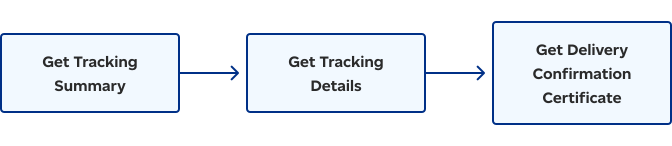
The Tracking workflow begins with the API retrieving the latest event for the item. Then, details on all delivery events for a single item are retrieved. Finally, the API obtains a copy of the delivery confirmation certificate associated with the item.
Tracking service functionality is provided through the following calls:
| Service | Description |
|---|---|
| Get Tracking Summary | Returns the most recent delivery event for a package, including confirmation of package delivery. The package is identified using PIN, DNC, or other reference parameters. |
| Get Tracking Details | Returns all tracking events for a package. The package is identified using a PIN or DNC. |
| Get Delivery Confirmation Certificate | If the package has been delivered, this call returns a PDF with the tracking number, service used, reference numbers, delivery date, signatory name, and signature image (if available). The package is identified using a PIN only. |

Consult our Developer guide for details about access tokens, authentication, rate limits, and more.

Get answers to common questions in our FAQs. If you can’t find your answers there, connect with our team.